> For the complete documentation index, see [llms.txt](https://docs.wiclax.com/llms.txt). Markdown versions of documentation pages are available by appending `.md` to page URLs; this page is available as [Markdown](https://docs.wiclax.com/es/otras-caracteristicas/clasificaciones-de-equipo.md).
# Clasificaciones de equipo
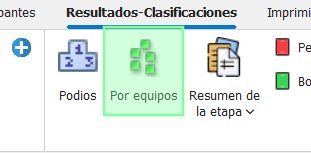
Wiclax puede calcular muchos tipos de clasificaciones de equipos. Puedes acceder a ellas desde aquí:
Estas clasificaciones se muestran en una pestaña lateral:
Allí encontrarás la lista de equipos clasificados con detalles de las actuaciones de los compañeros de equipo, así como la posibilidad de seleccionar el alcance de la clasificación, por ejemplo, una carrera.
{% hint style="info" %}
En el caso de una carrera por etapas, podrás consultar la clasificación por equipos de la etapa así como la clasificación general por equipos al final de la etapa.
Si se definen puntos intermedios o segmentos, también se podrá consultar la propia clasificación del equipo correspondiente a ese momento de la carrera.
{% endhint %}
## Criterios de clasificación
Al hacer clic en `Criterios de clasificación`, se abre el formulario de configuración.
Permite gestionar criterios tanto a nivel general como a nivel más específico de una carrera o etapa. A partir del momento en que se definan criterios más específicos, estos se aplicarán en lugar de los criterios generales.
### Criterio principal
El criterio principal será elegir entre las posibilidades: suma de tiempos, suma de rangos, tiempo del último compañero, ...
### Filtros y condiciones
Añadir un filtro permite restringir la selección de competidores considerados por la clasificación:
Note the additional option that is important: when the calculation involves the ranks of the competitors, it determines whether these ranks must be relative to the filtered selection or not. That is to say, in this example, if the rank of a competitor comes from a ranking including TEAM XX or not.
Other conditions allow you to specify more complex rules for team formation:
Estas reglas son acumulativas.
Without specifying a value for a data field, the condition simply relates to the number of teammates.
### Reglas para dividir empates
The tie splitting rules block allows you to modulate their order of priority. That makes it possible to finely comply with the rules of the event.
### *Team* data
In the `Calculation Options` section, you can designate a data other than *Team* or *Club* to make out the ranking. For example, a *Company* field.
### Mixed teams
The Mixed Teams block allows you to specify what constitutes a mixed team.
For example, if we say that 2 female finishers are required, a team at the finish with only one female will still be considered a Men's team.
NB: this setting does not imply that we only want to classify mixed teams. If necessary, we should rather work with a [condition](#filters-and-conditions) of type `minimum 1 female`.
## Agrupamiento
El botón Agrupar permite obtener un ranking agrupado, ya sea por género o por categorías. Con 2 variantes para el género, ya sea género individual o género por equipos. Solo la 2ª permitirá obtener equipos mixtos.
## Impresión
Desde la vista previa de impresión, puedes elegir un nivel de detalle respecto a la información de los diferentes compañeros de equipo:
## Publicación
Las clasificaciones de los equipos solo se publican en Internet (G-Live) si se marcan como tales.
Recuerde repetir la operación para las diferentes carreras afectadas, si es necesario.
## Otras clasificaciones de equipos
Si necesitas gestionar un ranking específico, por ejemplo un ranking de empresas, en paralelo al ranking de equipo estándar, puedes crearlo aquí:
Luego podrá editar sus criterios independientemente.
---
# Agent Instructions
This documentation is published with GitBook. GitBook is the documentation platform designed so that both humans and AI agents can read, navigate, and reason over technical content effectively. Learn more at gitbook.com.
## Querying This Documentation
If you need additional information that is not directly available in this page, you can query the documentation dynamically by asking a question.
Perform an HTTP GET request on the current page URL with the `ask` query parameter, and the optional `goal` query parameter:
```
GET https://docs.wiclax.com/es/otras-caracteristicas/clasificaciones-de-equipo.md?ask=&goal=
```
`ask` is the immediate question: it should be specific, self-contained, and written in natural language.
`goal` is optional and describes the broader end goal you are ultimately trying to accomplish on behalf of the user. GitBook uses it to tailor the answer towards what is most useful for that goal.
The response will contain a direct answer to the question and relevant excerpts and sources from the documentation.
Use this mechanism when the answer is not explicitly present in the current page, you need clarification or additional context, or you want to retrieve related documentation sections.